
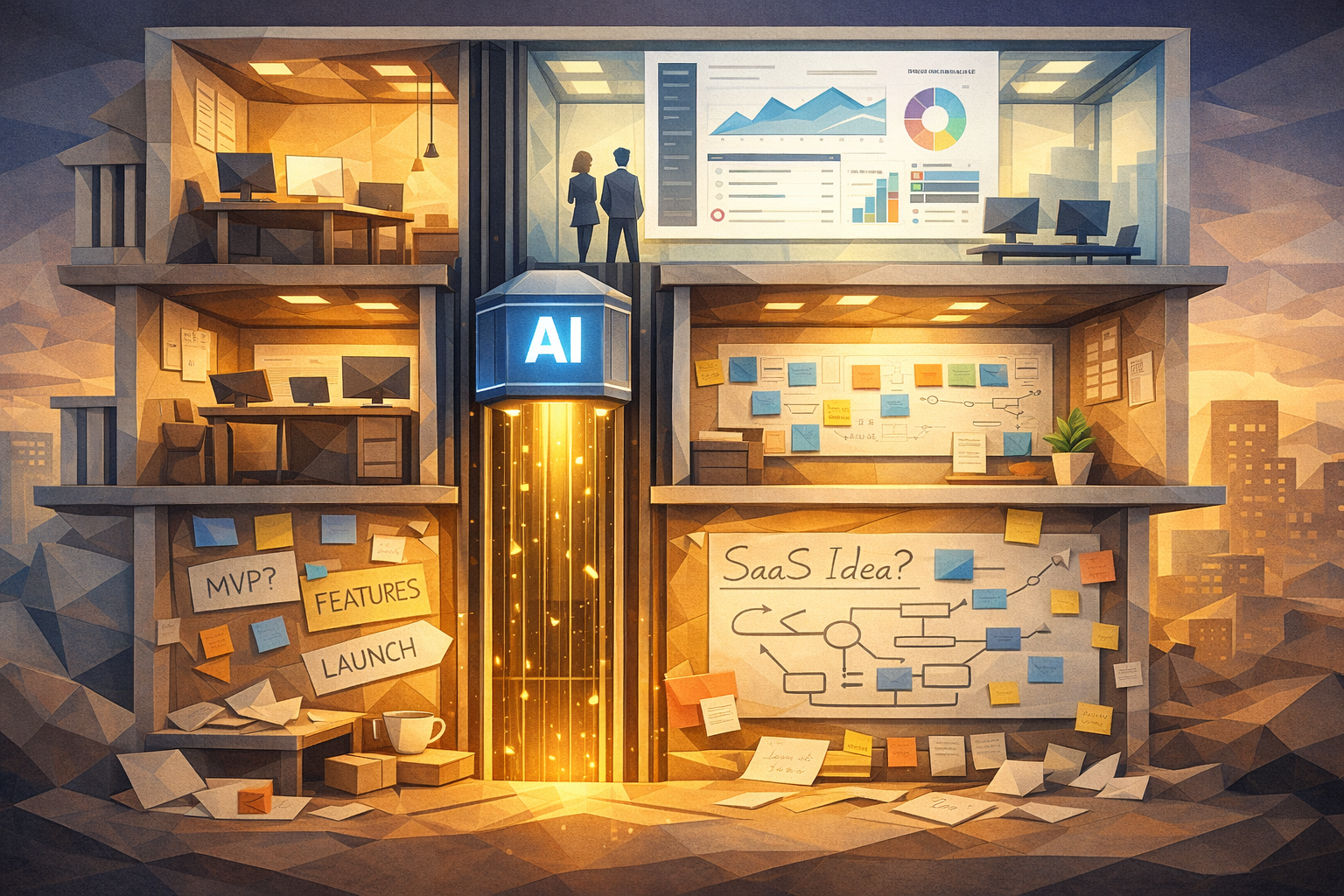
If you have a SaaS idea sitting in a Notion doc, this is your sign to stop staring at it and actually ship something people can click.
The part everyone secretly hates is not the idea. It is the time sink of spinning up auth, a database, CRUD operations, and a few basic screens before you even know if anyone cares.
That is exactly where an AI app builder with a built in database changes the game. Instead of wrestling with setup, you describe what you want, let the AI build the first version, then you spend your energy on making it useful, not just functional.
With JDoodle.ai, that means the AI writes your full stack app and wires it into a built in database for you. You can focus on flows, copy, and users, not backend or classic no code configuration.
In this guide, I will walk through how to go from “rough SaaS idea” to “users are actually clicking buttons” using an AI app builder like JDoodle.ai.
You do not need to be a backend developer. You do need a clear idea and a bit of focus.
Who this guide is for
This is for you if:
- You are a founder or indie hacker trying to validate a SaaS idea fast
- You are a PM or marketer who wants to ship internal tools without begging engineering
- You are a student building a side project or portfolio piece
- You are a non technical builder who is tired of being blocked by setup work
If you have ever thought “I could build this in a weekend” and then lost three weekends to configuration, you are in the right place.
What is an AI app builder, really
Simple version:
An AI app builder is a tool where you describe the app you want in natural language and it generates the full stack app for you, including database, backend, and UI.
With JDoodle.ai, that means:
- You write a prompt like “Build a SaaS app for managing client projects with login, project board, tasks, and notes”
- JDoodle generates the full app structure, screens, and core logic
- The built in database appears with the tables you need
- You can tweak, regenerate, and extend with more prompts or direct edits
- You pay using credits instead of committing to a big subscription on the pricing page
No wrestling with database drivers. No staring at a blank React project wondering where to start.
If you have used classic no code tools before, this feels familiar but lighter. You still get a visual app and safe data storage, but the AI does the wiring instead of you dragging blocks around for hours.
When an AI app builder is the right choice for your MVP
Use an AI app builder when:
- You care more about validation than architecture
- Your app is mostly forms, lists, dashboards, workflows, and simple automations
- You want to test pricing, onboarding, and messaging with real users
- You want to ship micro tools around your big idea
It is not trying to replace a huge, complex system. It is helping you get to:
“Here is a working product that solves one specific problem. Try it.”
Once you have that, everything gets easier. Feedback, investors, teammates, even your own motivation.
Step 1: Turn your idea into a clear prompt
Bad input gives you a weird app. Good input feels like you hired a focused junior dev.
Before you touch any tool, write this down:
Who is this for?
- Example: “freelance marketing agencies managing multiple clients”
What painful thing are you fixing?
- Example: “keeping track of campaign deliverables, due dates, and approvals”
What is the smallest thing they can do inside the app and still get value?
- Example: “create a client, add campaigns, track tasks with due dates, mark done”
Turn that into a base prompt for JDoodle.ai.
Prompt template: Base SaaS MVP
Prompt Build a SaaS web app for small marketing agencies. Users should be able to sign up, create clients, add campaigns for each client, and track tasks with due dates and status. Include a dashboard that shows overdue tasks and upcoming deadlines. Add simple role based access so teammates can collaborate.
Step 2: Let the AI define your data model for you
This is where most non technical builders usually stop. Tables, relations, primary keys. Hard pass.
Because JDoodle.ai includes a built in database, you do not have to design everything from scratch.
You can:
Ask JDoodle to create tables like
Users,Clients,Campaigns,TasksLet it infer relations such as
One user has many clients
One client has many campaigns
One campaign has many tasks
Store all of this inside the built in database so you do not juggle external tools
If you want to be more explicit, you can say:
Prompt template: Database structure
Create database tables for Users, Clients, Campaigns, and Tasks. A Task belongs to a Campaign and has fields: title, description, due date, status, and assignee. A Campaign belongs to a Client. A Client belongs to a User account.
Your future self will thank you for writing that now instead of reverse engineering it later.
Step 3: Generate your core flows
Most SaaS MVPs need the same basic flows:
Signup and login
Create something
View a list of things
Edit or delete those things
A simple dashboard view
Inside JDoodle.ai, you can prompt for flows like:
Prompt template: Auth and dashboard
Add a sign up and login page using email and password. After login, take users to a dashboard showing all clients and number of active campaigns for each client.
Prompt template: Time based view
Add a page to view all tasks due this week across all campaigns, grouped by client and sorted by due date.
The AI will generate routes, forms, and UI states for you. You can then refine the copy and layout.
Think in user stories:
“As an agency owner, I want to see what is overdue today, so I know what to chase”
“As a teammate, I want to filter tasks by campaign, so I can focus”
Each story can become a prompt. Build one by one.
Step 4: Add tiny features that make it feel like a real product
This is where your MVP starts feeling “real” to users.
Some ideas you can add with one or two prompts:
Status filters on the task list
Search by client name or campaign name
A simple activity log on each client
Basic email field validation
A “quick add task” input on the dashboard
In JDoodle.ai you can say things like:
Prompt template: Filters and search
On the dashboard, add a filter bar to filter tasks by status (To Do, In Progress, Done) and by client. Add a search box to filter tasks by task title or campaign name.
Prompt template: Activity log
On the client detail page, add a timeline that shows when a campaign was created and last updated, using data from the built in database.
These small details are what separate “demo toy” from “ok this is usable.”
Step 5: Ship a tiny micro tool alongside your main app
Here is a trick for faster validation.
Build one small, focused micro tool that solves part of the problem and connect it to the same database.
Examples:
A “Campaign Brief Generator” for agencies that saves the brief to the same client record
A “Task Load Calculator” that shows how many tasks each teammate has this week
A “Client Health Score” mini dashboard that uses rules you define
Inside JDoodle.ai, you can prompt:
Prompt template: Micro tool page
Create a simple page called Campaign Brief Generator where users can fill a form with client, objective, channels, and budget. Store the brief in the database linked to the selected client. Show a list of previous briefs for that client.
This micro tool gives you:
Something you can share on social as a free tool
A way to collect leads
A direct path into your main SaaS dashboard
All inside the same app and built in database, so you are not duct taping three different systems together.
A realistic 1 day build plan
Here is how a focused day could look using JDoodle.ai.
Hour 1: Clarify your idea
Write your user, problem, and smallest valuable action
Draft your base prompt
Define 3 core screens and 1 micro tool
Hour 2: Generate the first version
Paste your base prompt into JDoodle.ai
Let it create the initial app and database
Click through everything and note rough edges
Hour 3–4: Fix the basics
Tighten copy on key screens
Adjust forms so they match your real workflow
Ask JDoodle to add missing fields or validations
Hour 5: Add your micro tool
Build something like the Campaign Brief Generator
Hook it to the same database
Make sure it feels smooth on mobile
Hour 6: Prepare to show users
Add a simple landing page with a clear value prop and CTA
Set up a basic onboarding flow
Write a short welcome email or in app message
By the end of this, you do not have a perfect product. You have something that collects real data from real people and stores it safely in your built in database.
That is the entire point.
Why the built in database matters more than you think
When your database is part of the builder, a few good things happen:
You are not copy pasting API keys all day
Your app, data, and UI stay in sync as you iterate
You can create new features that immediately use existing data
You reduce the number of ways things can break
With JDoodle.ai, the database is not a separate setup step. It is just there, waiting for your app ideas.
So when you say “store this in the database” you are not secretly creating a big DevOps project for yourself. You are just storing it.
How this compares to traditional no code tools
No code tools are still useful. They are just heavier for your first SaaS MVP.
Typical no code flow:
Sign up
Learn their mental model
Connect a database
Set up auth
Configure pages and flows by hand
Realize you forgot something fundamental and backtrack
AI app builder flow with JDoodle.ai:
Describe your app in plain language
Let it create the app and database
Click through, then refine with more prompts
Add micro tools and improvements as ideas appear
Instead of thinking in “components and plugins” you think in “user stories and outcomes.”
AI app builder vs classic no code for your first SaaS MVP
Here is a simple way to compare your options for the very first version.
| Aspect | AI app builder (JDoodle.ai) | Classic no code platform |
|---|---|---|
| Time to first working version | Hours. Describe your app, let the AI generate flows, database, and UI. | Days or weeks of connecting data, setting up auth, and wiring pages. |
| Backend and database setup | Handled by the builder with a built in database and full stack code generation. | You choose and connect your own database, then maintain the setup. |
| Learning curve | Mostly learning how to write clear prompts and user stories. | Learning the platform’s visual model, rules, and quirks in detail. |
| Extending to new features | Describe the new flow in a prompt and let JDoodle.ai generate it on top of existing data. | Add new tables, rewire logic flows, and update multiple pages by hand. |
| Cost during validation phase | Pay as you go credits, so you can spend a little while testing your idea. | Often a fixed monthly plan, even if you only build a single MVP. |
If you are non technical or you are already busy with marketing, sales, and customer development, starting with an AI app builder like JDoodle.ai keeps your first version fast and flexible. You can always move to something heavier when you have proof that users care.
Micro tool ideas you can build today with JDoodle.ai
Here are some high intent starter ideas you can actually use as lead magnets or internal tools:
Client onboarding checklist app
For agencies and service businesses
Stores each client’s onboarding checklist and status in the built in database
Founder weekly review dashboard
Track MRR, customer tickets, key tasks
Pull data from manual inputs or connected APIs
Course progress tracker
For creators selling cohorts or self paced courses
Students can log progress, and you can see who is stuck
Sales call notes app
Log calls, outcomes, and next steps
Tag notes by deal stage and see a simple pipeline view
Each of these can become its own mini SaaS or a feature inside a bigger product. Perfect playground for exploring JDoodle.ai without overthinking it. Once you have one working, you can link it from your main app or landing page to let users try it in seconds.
Simple launch checklist for your AI built SaaS MVP
Before you show it to users, run through this list:
Core flow works end to end
- A new user can sign up, do the main action, and see a result
Your database fields make sense
No weird “test123” tables
Fields are clearly named and used
You have at least one micro tool or quick win feature
- Something that feels useful within 30 seconds of landing inside the app
You have a basic landing page
Who it is for
Problem
What your product does
One strong call to action
You know who you will send it to first
5 people you can DM
1 community post you can write
One short email you can send to your list
You do not need a full growth plan. You just need a concrete next step for getting it in front of people.
Where JDoodle.ai fits in your stack
To recap how JDoodle.ai helps you get there faster:
AI builds the full stack app from your prompts
The built in database stores your users, data, and activity without extra setup
You pay as you go, so you are not locked into a big subscription while you are still experimenting
You can keep iterating with prompts instead of refactoring everything by hand
Your job shifts from “how do I build this” to “is this useful and how do I make it better.”
That is a much nicer problem to have.
If you want to see what else people are building, browse other guides on the JDoodle.ai blog and borrow ideas, patterns, and prompt templates.
Next steps
If you want to put this into practice:
Pick one SaaS idea that solves a specific problem
Write your base prompt using the structure in Step 1
Open JDoodle.ai and build the first version of your app
Add one micro tool that uses the same built in database
Show it to 5 people who feel the pain you are solving
You can tweak, regenerate, and improve forever. Or you can ship something small this week and start collecting real feedback.
FAQ
Q1. What is an AI app builder and how is it different from no code tools? An AI app builder lets you describe the app you want in natural language and then generates the full stack code, UI, and database for you. It is like having a developer who understands your prompts. Traditional no code tools make you drag blocks and configure everything by hand. AI app builders cut that setup time drastically.
Q2. Can I ship a real SaaS MVP with an AI app builder like JDoodle.ai? Yes. You can build real CRUD apps, dashboards, forms, workflows, and connect to external APIs. With JDoodle.ai you also get a built in database and full stack code generation.
Q3. Who is this approach best for? This is ideal for founders, indie hackers, PMs, marketers, and students who have clear product ideas but do not want to spend weeks learning backend frameworks or setting up infrastructure.
Q4. How much technical knowledge do I need to use an AI app builder? You should understand your user flows and basic product logic. You do not need to know how to set up servers, databases, or write complex backend code. If you can explain your idea clearly in writing, you can start building.
Q5. What if my SaaS grows and I need more control later? You can start with an AI app builder to validate your MVP, then iterate. Because JDoodle.ai generates full stack code on top of a built in database, you have more flexibility to evolve, extend, or hand over to developers later.
Related Posts
View All Posts »
How to Build a Website for a Makeup Artist in 11 Simple Steps
Learn how to build a clean makeup artist website that showcases your portfolio, lists services clearly, and helps clients book you easily, without needing technical skills.

How to Build a Website for a Gardener in 11 Simple Steps
Learn how to create a simple, professional gardening website that attracts local customers, showcases your work, and makes it easy to get enquiries, without needing technical skills.
How to Build Your SaaS MVP with an AI App Builder in 2026
A practical, step by step guide for founders, PMs, marketers, students, and indie hackers to ship a working SaaS MVP using an AI app builder with a built in database, without touching backend code or wrangling classic no code tools.